
Free Pickup Across IndiaGST Invoice Available
Free Pickup Across India
Instant Payment
Data Security Guaranteed
GST Invoice Available
Home>Blogs

Blogs

Tips, guides and insights to help you make smarter tech choices.

How to Choose a Refurbished Laptop: A Practical Buyer Checklist

How to Choose a Refurbished Laptop: A Practical Buyer Checklist

Start with the work you need the laptop to do A good refurbished laptop is not simply the lowest-priced option. Begin with your day-to-day use: documents and browsing, online meetings, coding, creative tools or heavier workloads. That tells you what processor, memory and storage capacity are likely to be useful. Compare the exact configuration Model families can include many configurations. Check the processor generation, RAM, storage type and capacity, screen size, ports and operating system listed for the specific device. If a detail matters to your workflow, confirm it on the product page rather than assuming it from the product name. Read the condition and coverage information Review the condition notes, images, warranty information and return window shown for that listing. These details help you understand what is included and how to get support if you need it after purchase. Check practical ownership details Before checkout, confirm the available stock, delivery information, tax breakdown and final payable amount. If you are buying for work, think about ports, charger compatibility, screen size and whether the device fits your existing setup. Once you have narrowed your options, browse available refurbished devices and use the FAQ page for common buying questions.

R
RefurbBazaar Editorial Team
25 Aug 2026
Read More
What to Check Before Buying a Refurbished Device

What to Check Before Buying a Refurbished Device

Look past the headline price Refurbished technology can be a smart way to match a capable device to your budget, but the right choice depends on the complete listing. Compare the exact specifications, condition and included coverage before making a decision. Use the product page as your checklist - Check the product configuration, including memory and storage where relevant. Review the condition information and listing images. Confirm the warranty and return details shown for that product. Review the delivery, tax and final payment information at checkout. Plan for your existing setup For laptops and desktops, consider charger type, ports, display connections, wireless needs and software compatibility. For phones and tablets, check storage capacity, network requirements and the accessories included with the listing. Know where to get help Save your order information and use the support, order and warranty areas of your account if you need assistance after purchase. For pre-purchase questions, contact the team with the product link so the right listing can be checked.

R
RefurbBazaar Editorial Team
25 Aug 2026
Read More
Why Refurbished Devices are Better for the Planet

Why Refurbished Devices are Better for the Planet

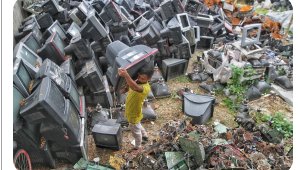
Choosing refurbished devices saves tons of e-waste and greenhouse gas emissions. Over 80% of a laptop's lifetime carbon footprint is created during manufacturing. By extending the life of a laptop by another 3 to 4 years, you prevent new manufacturing emissions. At RefurbBazaar, we ensure that every laptop bought prevents 300+ kg of CO2 emissions from entering the atmosphere. Start your green journey today by shopping our wide catalog of certified laptops.

A
Admin
16 Jul 2026
Read More
Refurbished Phone Buying Guide: Tips & Advice

Refurbished Phone Buying Guide: Tips & Advice

Thinking of buying a refurbished smartphone? Here is everything you need to know. First, understand the grading systems. Flawless devices have no scratches, while Good devices might have minor signs of wear. Second, verify if the battery health is above 80%. Third, check the warranty coverage. RefurbBazaar provides a minimum 6-month warranty on all certified mobiles, so you can buy with complete peace of mind.

A
Admin
16 Jul 2026
Read More
WhatsApp